


Public Safety & Security
See something, say something and we will do something.
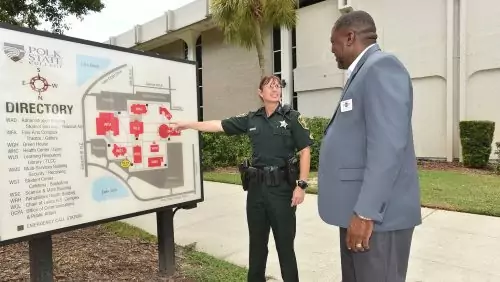
Here at Polk State College, we do not tolerate violence. Polk State is committed to maintaining a safe and non-discriminatory learning and working environment for all students, employees and visitors. All members of the College community are responsible for encouraging, protecting and maintaining an environment where individuals are free to learn and work without fear of discrimination or violence.
If you experience or witness an act of violence on campus, call 911 immediately. If you see suspicious activities or persons on campus, contact Safety and Security at 863.297.1059 or internal extension 5059.
The safety of all who learn, work and visit our College is critical to the Polk State mission of providing higher education and life-transforming opportunities to all, and requires everyone to remain informed on the topic of security.
Polk State College Annual Security Report
Polk State College is committed to providing students, faculty, staff, and visitors with a safe and secure environment. Security is provided 24 hours a day, 365 days a year on both the Winter Haven and Lakeland campuses.
In the event of an emergency, you can reach Security by calling the Public Safety and Security Communications Center at 863.297.1059.
+ Receive Emergency Alerts
In a continued effort to ensure the safety of students, faculty, and staff, Polk State College has partnered with mass notification system Everbridge to provide important alert notifications as they happen and allow those on campus to easily report suspicious and dangerous activity or call for help.
All active students and employees will receive Everbridge alerts automatically. Notifications will be sent in the event of inclement weather, natural disasters, or other unforeseen and immediate conditions that may affect the health and safety of students or employees. Alerts will also be sent in the event of emergencies or dangerous situations occurring on campus that involve an immediate threat to students’ or employees’ health or safety.
To maximize safety, students and employees will be encouraged to download the Everbridge application on their smartphones. The app is available for Apple and Android.
Alerts will be sent (in this order) via the app, text message, phone call, and email. Recipients will be asked to confirm they received the alert. Once confirmed, the alerts won’t be sent to the other means of communication.
Students should download the app and search for “Polk State.” They should then select “Polk State College Alerts.” They will be asked to put in their Polk State username and password to complete the process. Faculty and staff will receive employee-specific instructions via their Polk State emails.
The app will include two new features, including a panic feature, which allows students and employees to report a suspicious incident or call for help. Users can push an “Emergency” panic button on their phones, which calls 911, alerts security, and allows College and law enforcement personnel to respond to their location.
The other feature is the “Non-Emergency” button, which calls the Polk State College Security Dispatch desk. This would be used in cases where the user was not in danger but had a need like help with car trouble or access to a building.
+ Lost-and-found
Lost-and-found is located in the Public Safety and Security offices on both the Winter Haven and Lakeland campuses.
+ Security Officers
Polk State College security officers have the authority to ask persons for identification and to determine whether the individuals have lawful business at the College. Security officers have the authority to issue parking violations to students, faculty, and staff. Security officers do not have law enforcement authority or possess arrest powers. Criminal incidents are referred to local law enforcement agencies that have jurisdiction on the campus. The College Security Department maintains a good working relationship with the Winter Haven Police Department, Polk County Sheriff’s Department, Lakeland Police Department, and Lake Wales Police Department. Security officers often collaborate with police officers when crimes or other incidents requiring a police response are reported.
+ Safety Precautions
The following are some simple precautions that can be taken to reduce your possibility of becoming a crime victim:
- Avoid unsafe situations whenever possible
- Report suspicious, odd, or dangerous behavior immediately
- Pay attention to what is going on around you, not what is on your phone
- Always carry your cell phone, keep it charged, and activate GPS location services
- Let others know your schedule and where you plan to be during the day
- Travel in groups after dark or call Public Safety and Security at 863.297.1059 for a security escort
- Park in well-lit areas
- Do not leave valuables in plain view inside your vehicle
- Always lock your car doors
- Do not leave valuables unattended at any time (this includes textbooks)
- When using a locker on campus, always lock it
- Do not share your passwords with anyone
+ Reporting Crimes and Other Emergencies
Crimes, incidents, safety concerns, and other emergencies on campus can be reported directly to Public Safety and Security by dialing extension 5059 from any Polk State campus telephone. Additionally, there are several blue-phone emergency call boxes strategically located throughout campus. In the event of an emergency, a blue-phone can be used to directly contact Public Safety and Security. By pressing the call button, the blue-phone automatically connects the caller to Public Safety and Security and also indicates the location of the call. The call immediately connects to the security guard on duty, who will then provide the appropriate service needed for the situation.
To reach the Public Safety and Security via a public phone, cell phone, or off-campus telephone, individuals should dial 863.297.1059.
Students, faculty and staff are encouraged to report all suspicious activities and persons observed on campus. Such calls should be made promptly to improve the ability of Public Safety and Security to investigate the situation, apprehend suspects, and prevent potential crimes. Upon receipt of a call, security officers respond immediately to the site of the emergency. All incidents are investigated and the officer files a report.
Please note that Polk State College does not have procedures for voluntary, confidential reporting of crimes. Because college reports are public records, the college cannot hold reports of crimes in confidence. Violations of the law will be referred to the appropriate local law enforcement agency, to the dean of student services and to the campus provost on the Winter Haven or Lakeland campus.
A daily crime log is available for review during normal business hours at the Security Office in the LMB building on the Lakeland campus and in the WMS building on the Winter Haven campus. Information about crimes typically include the case number, classification, date reported, date occurred, time occurred, general location, and disposition of each crime.
+ Sexual Predator or Offender Notice
Florida Law requires persons designated as sexual offenders or predators to register with the Sheriff’s Office if they are enrolled, employed, or carrying on a vocation at an institution of higher education in this state. The offender must report the following information: name, address, and county of each institution, including each campus attended, and the sexual offender’s enrollment or employment status. Each change in enrollment or employment status shall be reported in person at the Sheriff’s Office, within 48 hours after any change in status.
Information about registered sexual offenders and predators may be obtained through the Polk County Sheriff’s Office, or by calling the FDLE hotline (1.888.357.7332) or visiting the FDLE website at offender.fdle.state.fl.us.
+ Alcoholic Beverages and Illicit Drugs
Polk State College is a drug-free work place and a drug-free academic institution. College employees and students are prohibited from the unlawful possession, use, sale, or distribution of illicit drugs and alcohol on college property or as part of college activities.
+ Firearms and/or Weapons
Florida Statute 790.115, prohibits individuals from possessing firearms or other dangerous weapons on Polk State property or at a school sponsored event, except as authorized by Florida law.
Persons Licensed to Carry Firearms
Pursuant to Florida State Statute 790.06 (12a), a concealed weapons license does not authorize any person to openly carry a handgun or carry a concealed weapon or firearm on Polk State property or at a school sponsored event.
+ Victims of Sexual Assault
If a person is the victim of a sexual assault at Polk State, the first priority is to go to a place of safety, call 911 or the appropriate law enforcement agency based on the location of the assault, and then call Polk State Public Safety and Security. Polk State’s security officers will assist the victim in notifying the local law enforcement agency. Time is a critical factor for evidence collection and preservation.
See this page for further information about preventing sexual violence.
+ College Judicial Action
Polk State College has a formal Discipline and Due Process Policy that is coordinated through the dean of student services. This policy is available via the Polk State College website and DBOT Rule 4.01.